The Best Smart LED Strip Lights on the Market
Smart LED strip lights are one of the easiest ways to add ambiance and accent lighting. They install in minutes, change color from an app or voice assistant and work under cabinets, behind TVs and along shelves. Here are the best options and ideas for using them.
Smart LED Strip Lights: Quick Overview
| Pros | Versatile ambiance control, Easy installation, Smart home integration |
| Cons | Potential connectivity glitches, Variable quality among brands |
Smart LED strip lights are flexible tapes of LEDs with an adhesive back, a power supply and a controller that connects to an app, a remote or a voice assistant. When you compare models, look at five things: length, color type (RGB, RGBIC or tunable white), brightness, control options and how easy the strip is to cut and reconnect. The summaries below describe what each option is known for, based on the features its maker lists. Check current specs before you buy, because smart LED strip lights are updated often and versions change.
| Pros | Comprehensive comparisons, detailed feature analysis, user-friendly evaluation |
| Cons | Lacks long-term durability insights, limited focus on installation challenges |
KSIPZE 100ft: The Versatile Choice for Music Lovers
The KSIPZE 100ft LED strip is aimed at people who want music sync. Its music mode lets the lights react to sound in the room, and the long run can wrap around a large room or a full ceiling line. It works well for party spaces, game rooms or a home theater. Keep in mind that a very long strip can lose some brightness toward the far end, so plan where the power supply goes.
Tenmiro 100ft: Maximizing Space and Ambiance with Flexibility
Tenmiro’s 100ft strip is a flexible, budget-friendly way to cover a lot of space with color. Like most LED tape, it can be cut at the marked cut lines, so you can fit it to shelves, bed frames or ceiling edges. Use it for subtle accents along the back of furniture or for bolder color around a game room.
More about Tenmiro 100ft: The maker highlights a circuit design meant to keep long runs stable and reduce flicker, a common complaint with long strips. Pairing it with the app lets you set scenes and timers for cozy evenings or livelier gatherings. For any long strip, mount it on a clean, dry surface and add mounting clips if the adhesive starts to lift.
Govee’s RGBIC Technology: Crafting Unique Lighting Experiences
Govee’s RGBIC strips can show several colors at once along a single strip, because each segment is controlled separately. That lets you create gradients, rainbow chases and multi-color scenes that a standard RGB strip, which shows one color at a time, cannot.
More about Govee’s RGBIC Technology: The IC in RGBIC stands for independent control, meaning the strip has chips that drive segments separately. In practice, you get moving effects and color blocks without the colors blending into one. This suits themed and holiday displays, game rooms and anywhere you want motion. For simple warm accent light, a basic strip does the job for less.
DAYBETTER 130ft: The Ultimate in Length and Functionality
DAYBETTER’s 130ft LED strip is meant for covering long distances, such as the full perimeter of a large room or a long hallway ceiling. If you plan to use it outdoors, check the listing for its water-resistance rating, because many long strips are rated for indoor use only. For covered outdoor spots, look for an IP65 rating or higher.
More about DAYBETTER 130ft: Long kits usually ship as several shorter reels joined by connectors, which makes them easier to install in sections. Clean the surface with rubbing alcohol before you stick the strip down. Adhesive struggles on textured walls, so use clips or an aluminum channel there. Multi-zone app control, where available, lets you light different areas separately.
Govee White LED Strip Lights: The Brightness Standard
Govee’s white LED strips focus on clear, bright white light rather than color. Tunable white strips let you adjust the color temperature, and app dimming and schedules make them handy for under-cabinet lighting, desks and shelves.
More about Govee White LED Strip Lights: A tunable range lets you move from warm white around 2700 K, which feels cozy in the evening, to cooler, daylight-like light around 5000 K or higher for work and cooking. For even light, mount white strips inside an aluminum channel with a diffuser. It hides the individual dots and gives a cleaner line, especially over glossy counters.
Barrina LED T5: Industrial Strength Meets Home Elegance
Barrina’s T5 lights are rigid, linkable fixtures rather than flexible tape, so they suit garages, workshops, closets and under-cabinet task lighting. They put out much more usable light than most decorative strips. Most versions are not color-changing or app-controlled on their own, so pair them with a smart plug or smart switch if you want schedules or voice control.
More about Barrina LED T5: These fixtures use aluminum housings and link end to end with connector cables, so you can run several from one outlet. Installation is usually a matter of clips and screws. Check how many units the maker allows on one circuit before linking a long run.
DAYBETTER 32.8ft: Compact Yet Vibrant
The DAYBETTER 32.8ft strip is a good size for a single feature in one room, such as behind a TV, under a bed frame or along a headboard. At about 10 meters, it is easy to handle and simple to install, which makes it a sensible first smart strip.
More about DAYBETTER 32.8ft: Shorter kits often share the same app features as longer versions, including music sync and scene modes. Measure your run before buying. For a TV backlight, the perimeter of the back of the screen is usually enough, and you can cut off any extra at the marked lines.
Pioneering Music Sync: The LED Light Revolution
Music sync lets your LED strips pulse, fade and shift color with sound. Some strips listen through a microphone in the controller, while others sync through the phone app or a computer. It’s fun for parties, gaming and movie nights, but most people switch it off for everyday use, so make sure the strip has good static modes too.
More about Pioneering Music Sync: Microphone-based sync works with any sound in the room, but it also reacts to voices and background noise. App-based sync and HDMI sync boxes follow the actual audio or picture more closely. If you want lights that track your TV picture, look for a dedicated sync box or camera kit rather than a basic music mode.
Many Govee kits work with Alexa and Google Assistant, so you can control them by voice alongside your other smart devices. The app offers color control, scenes and music modes. Like most smart LED strip lights, they rely on a stable 2.4 GHz Wi-Fi or Bluetooth link, so expect occasional dropouts if the router is far away. In a room that is already bright, a single strip may not add much light; it works best as accent lighting.
| Pros | Easy smart home integration, intuitive app control, customizable scenes, music sync |
| Cons | Occasional connectivity issues, lower maximum brightness |
LAFULIT: Innovative Fiber Optic Lighting
LAFULIT takes a different approach with fiber optic lighting: thin, flexible strands carry light from a source and glow softly at their tips or along their length. The effect is subtle and works well for starry ceilings, decorative accents and mood lighting. It may not offer the full app control found in other systems, so check which controller is included before you buy.
Keepsmile 100ft: The Affordable Smart Option
On a budget? The Keepsmile 100ft gives you a lot of length for the price, which makes it an easy entry point into smart lighting. It covers the basics, with color options plus remote and app control, but effects and the app experience are generally simpler than on premium models.
If you need to light a large space cheaply, the Keepsmile 100ft is worth a look. Check the listing for voice assistant support, since budget strips vary in which assistants they work with. If you want very fast response or advanced syncing with music and TV, a more advanced kit will serve you better.
Whatever brand you pick, a few checks help you choose well. Read recent reviews for app reliability, since that is where smart LED strip lights differ most. Confirm the strip uses a 12 V or 24 V supply suited to your run length; long runs on 24 V usually show less dimming at the far end. Look for clearly marked cut points, spare connectors and a decent warranty. Finally, make sure it works with the voice assistant you already use.
| Pros | Cons |
| Excellent color accuracy | Occasional app lag during rapid adjustments |
| Bright, vivid lighting | Voice control requires strong Wi-Fi connection |
| Seamless app and voice control integration | Setup can be a bit tricky for beginners |
Color Depth: Comparing RGB Capabilities
Standard RGB strips mix red, green and blue diodes to produce around 16 million color combinations through the app. In practice, color quality depends more on the LEDs and the diffuser than on that number. Pastels and true whites are often weak on RGB-only strips, because white is made by mixing colors. If you want good whites as well as color, look for RGBW or RGBWW strips, which add dedicated white diodes.
Brightness Levels: Finding the Right Lumens for Your Space
Brightness is listed in lumens per foot or per meter, and it varies widely. For accent lighting behind a TV or under a bed, a modest output is plenty. For under-cabinet task lighting, look for a brighter strip, roughly 300 lumens per foot or more, and pair it with a diffuser to avoid glare. Dimmable strips let you go from a soft glow in the evening to full brightness when you are cooking or working.
Control Methods: Remote vs. App vs. Voice Integration
Most strips give you three ways to control them: a physical remote for quick changes, a smartphone app for schedules and color, and voice control through Alexa, Google Assistant or, on some models, Apple Home. Wi-Fi strips can be controlled when you’re away from home, while Bluetooth-only strips usually work only when your phone is nearby. Check which type you’re buying if remote access matters to you.
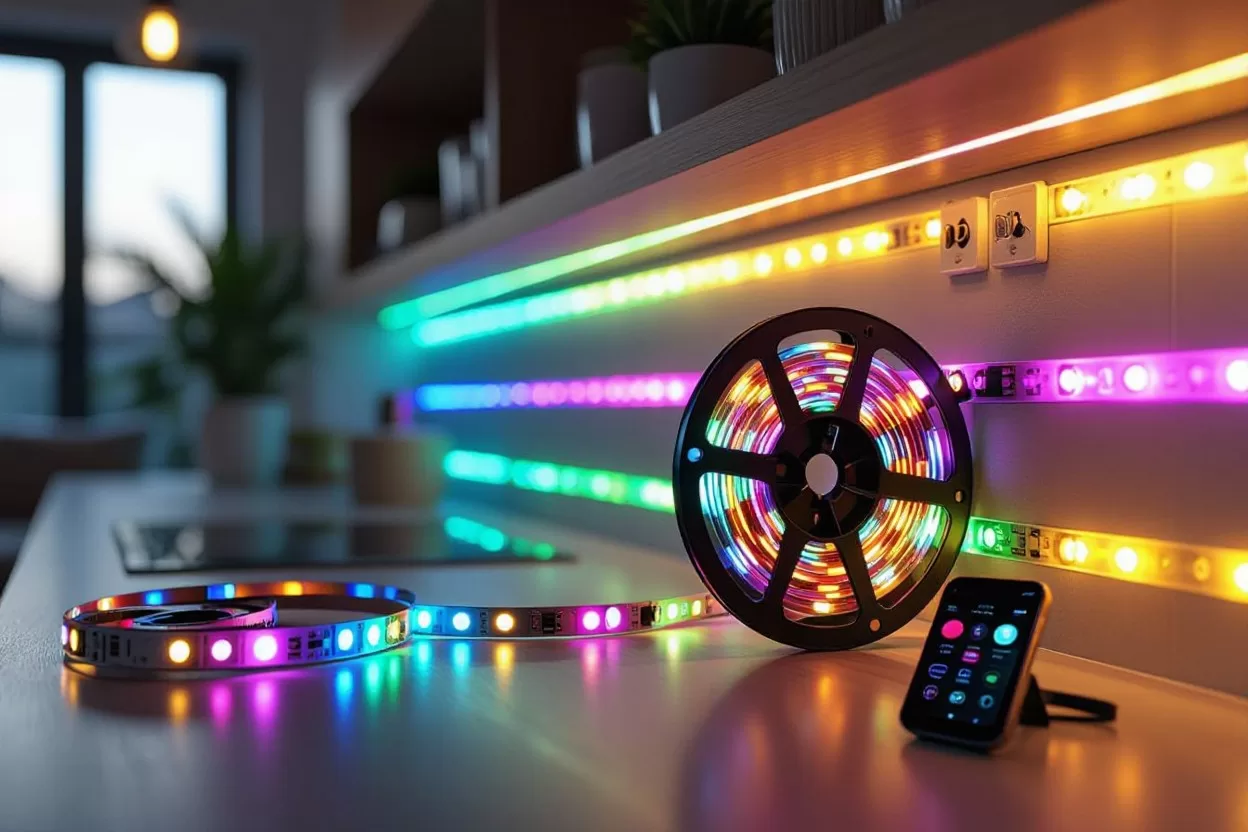
If you already have a smart home hub or voice assistant, start there. Choose smart LED strip lights that work with your existing platform, so you can add them to routines like turning on at sunset or dimming at bedtime. Newer devices that support the Matter standard work across several ecosystems, which makes switching platforms easier later. A physical remote or wall switch is still handy for guests who don’t use your app.
| Pros | Clear explanation of mood-lighting science; practical mood-setting advice; easy to follow |
| Cons | Lacks direct product recommendations; occasionally too academic |
Science of Color: How Lighting Affects Mood and Behavior
Light affects how a room feels. Warm white light, around 2700 to 3000 K, feels relaxing and suits living rooms and bedrooms in the evening. Cooler light, around 4000 to 5000 K, feels crisp and helps with focus during tasks. Bright, blue-rich light late at night can make it harder to wind down, so set your strips to warm, dim settings in the hour before bed. Adjusting color temperature and brightness through the day makes your space more comfortable.
Transformative Experiences: Real-Life Reviews of Smart LED Strip Lights
Owner reviews of smart LED strip lights tend to praise the same things: easy color changes, movie-night backlighting behind the TV and soft colors for winding down. The most common complaints are consistent too: adhesive that lets go over time, app or Wi-Fi hiccups and visible dots on shiny surfaces. Reading a mix of positive and critical reviews gives you a realistic idea of what to expect.
Customizing settings is where these lights earn their keep. Syncing to music, setting schedules and saving scenes for movies, dinner or reading means you don’t have to fiddle with the app every evening. Start with two or three scenes you will actually use, such as a warm low glow, a bright white for cleaning and a color scene for parties, and add more later.

When reading reviews, pay attention to the date and the product version. Smart LED strip lights get firmware and app updates often, so a complaint from a few years ago may already be fixed, while a new version may bring new issues. Premium kits cost more but often come with better app support and longer warranties. Lag when switching between apps is a common gripe, so stick to one app or platform where you can.
| Pros | Exceptional color range and accuracy, smooth smart home integration, customizable effects |
| Cons | High cost, occasional connectivity delays |
Emerging Technologies: AI and Lighting Customization
Some newer smart lighting systems use automation to adapt to your routines. They can shift color temperature through the day, turn lights on at sunset or respond to motion and time of day. Some apps now let you describe a scene in words and generate a color palette from it. These features add convenience, but simple schedules and routines already cover most needs, so don’t pay extra for features you won’t use.
Sustainability in Smart Lighting: Eco-Friendly Innovations
LED strips use far less energy than incandescent or halogen accent lights for the same light output, so they are a sensible choice for lighting you leave on for hours. Dimming saves more energy, and schedules make sure lights aren’t left on in empty rooms. Look for strips with replaceable power supplies and controllers, so one failed part doesn’t mean throwing out the whole kit.
Think about the whole life of the product. A good-quality strip with a solid warranty usually outlasts a bargain kit, which means less waste. Use motion sensors or daylight-based schedules where possible, so lights only run when needed. When a strip does fail, take it to an electronics recycling drop-off rather than putting it in the household trash. These habits trim your electricity bill as well as your environmental impact.
Summing up
The best smart LED strip lights on the market give you flexible, energy-efficient lighting with colors and settings you can tailor to each room. Choose based on where the light will go, how bright it needs to be, how you want to control it and which smart home system you use. Plan your runs, clean surfaces before mounting and use channels where the strip will be visible. With a little planning, you get accent lighting that looks tidy and is easy to live with.
Plan accent lighting placement in the free 3D room designer.
Room lighting calculator
Find how many lumens a room needs and how to split them into layers.