
Home Theaters – Bringing Cinema Magic into Your Living Room
There’s nothing like transforming your space into a cinematic escape; when you plan your setup, prioritize accurate projector or TV calibration, room acoustics and a quality surround-sound system, and comfortable seating to maximize immersion. Protect your investment by addressing proper electrical wiring and ventilation to avoid fire risk and equipment overheating. With smart lighting control and streaming integration, you can tailor every screening to your tastes while maintaining a safe, professional-grade experience.
Key Takeaways:
- Design the room for viewing and listening: control ambient light, arrange seating and screen for proper sightlines, and address room acoustics for clearer sound.
- Match components to goals and budget: pick the right display (TV or projector), speaker system (5.1/7.1 or Dolby Atmos), AV receiver, sources, and quality cabling while planning for upgrades.
- Optimize setup and experience: place and calibrate speakers, apply acoustic treatment, manage wiring, and add comfortable seating and simple automation for seamless movie nights.
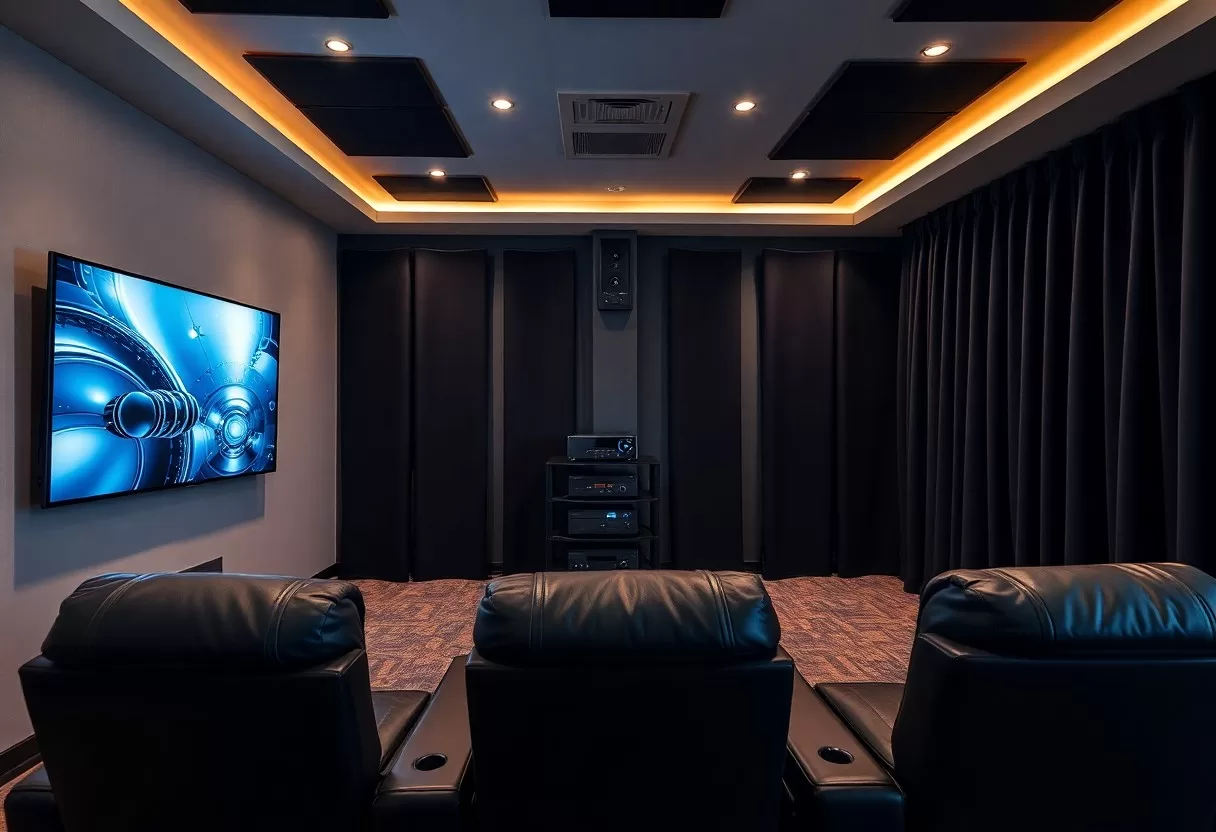
Understanding Home Theater Systems
Components of a Home Theater
When you assemble a system, balance matters: a display (4K HDR or projector), matched speakers (left/center/right, surrounds, subwoofer), an AV receiver or processor, reliable sources (Blu‑ray, streaming, media server), and room acoustics and seating all shape performance; improper placement can cause distortion or glare, while proper calibration yields a truly immersive result.
- Display – choose OLED/LED or projector based on room light and desired size.
- Speakers – floorstanding, bookshelf, in‑wall and subwoofers affect imaging and bass.
- AV Receiver – power, HDMI 2.1, and codecs (Dolby/DTS) determine compatibility.
- Sources – 4K Blu‑ray offers best bitrate; streaming is convenient with variable quality.
- Recognizing calibration and room treatment deliver more audible improvement than upgrading a single component.
| Display | 4K HDR TV for bright rooms; projector + screen for 100″+ in dark rooms. |
| Speakers | 5.1 is standard; 7.1 or Atmos adds depth-match speaker timbre for cohesion. |
| AV Receiver | Look for HDMI 2.1, enough channels, and power headroom (20-50% above speaker rating). |
| Sources | Blu‑ray, 4K streaming (25-50 Mbps recommended), game consoles with VRR for gaming. |
| Room & Acoustics | Bass traps and absorbers tame reflections; seating layout affects sweet spot coverage. |
Types of Home Theater Setups
You can pick a setup that matches space and budget: a dedicated theater with projector and acoustic treatment, an integrated living room system using a TV and soundbar or 5.1, a compact soundbar for apartments, or a hybrid that balances aesthetics and performance; each choice trades off screen size, soundstage, and installation complexity.
- Dedicated theater – optimized for dark rooms and large screens, often 7.1+Atmos.
- Living room – multi‑use, typically TV with 2.1, 3.1 or 5.1 speaker setups.
- Soundbar – space‑saving, some deliver virtual Atmos with upward‑firing drivers.
- Projector-based – provides >100″ image but needs light control and screen gain consideration.
- Recognizing Dolby Atmos and object-based audio need height channels or Atmos‑enabled speakers for full effect.
| Dedicated | Projector, screen, 7.1/Atmos, room treatments – best cinema feel. |
| Living Room | TV (55-85″), 5.1 recommended for films, blends with decor and daily use. |
| Soundbar | 2.1-3.1 for dialogue; Atmos soundbars simulate height with variable results. |
| Projector | Good for 100″+ images; choose 4K DLP/LCD or laser for brightness and longevity. |
| Hybrid | Compromise layout (e.g., retractable screen, in‑ceiling speakers) for multi‑purpose rooms. |
If your room is 12×16 ft, a practical recommendation is a 5.1 system with a 100-120″ diagonal screen projection or a 65-75″ 4K TV paired with a 10-12″ subwoofer; target 75-85 dB for dialogue peaks and leave 20-30% amplifier headroom to avoid clipping, while seating should be at 1.5-2.5× the screen height for optimal sightlines.
- Room size – small rooms favor sealed subs and DSP; larger rooms need more power and multiple subwoofers.
- Screen distance – THX recommends ~1.5× screen height; SMPTE allows slightly farther for cinematic immersion.
- Power – aim for receivers with +20-30% headroom above speaker RMS ratings to prevent clipping.
- Multiple subs – two subs halve room modes and smooth bass response below 80 Hz.
- Recognizing calibration tools (RTA, REW, or room correction in AVR) will transform raw gear into a coherent system.
| Room Dimension | 12×16 ft – suitable for 5.1 or Atmos with careful bass control. |
| Screen Size | 65-75″ TV or 100-120″ projector diagonal depending on seating distance. |
| Subwoofer | 10-12″ for balanced low end; use dual subs for smoother response. |
| Amplifier Headroom | 20-30% more power than speaker rating reduces distortion at peaks. |
| Calibration | Use an SPL meter and room correction to set levels and equalization accurately. |
Selecting the Right Audio System
When you pick components, prioritize room size and seating: a 10×15 ft room handles a compact 5.1 setup, while rooms over 20 ft benefit from Dolby Atmos with two or four height channels. Match speakers to an AVR that delivers 75-150 watts per channel for clean dynamics, plan wiring and sub placement in advance, and avoid driving systems above 100 dB to prevent hearing damage and distortion.
Speaker Options
Floorstanding speakers give you deeper bass and higher SPL-useful if you want 40-80 Hz extension without a sub; bookshelf speakers suit small rooms and nearfield seating. Always include a dedicated center channel for dialogue and a subwoofer with a 10-12″ driver for LFE below 80 Hz. Choose active speakers if you want simpler setup, or in-wall units when you prioritize clean aesthetics.
Sound Quality Considerations
Assess frequency response, total harmonic distortion (aim for THD <0.5% at listening levels) and signal-to-noise ratio when comparing gear. Seek speakers that cover roughly 20-20,000 Hz, and prefer AVRs with room-correction like Dirac or Audyssey to tame room peaks; transient response and low distortion matter more for clarity than headline wattage.
Dive into room interaction: measure with REW and a calibrated mic, set speaker distances so time alignment keeps arrivals within 1 ms, and use an 80 Hz crossover for most 5.1/7.1 setups so the sub handles LF. Treat first-reflection points and corners with bass traps-without treatment you can see ±10-15 dB room anomalies-and calibrate EQ, then fine-tune by ear at moderate levels.
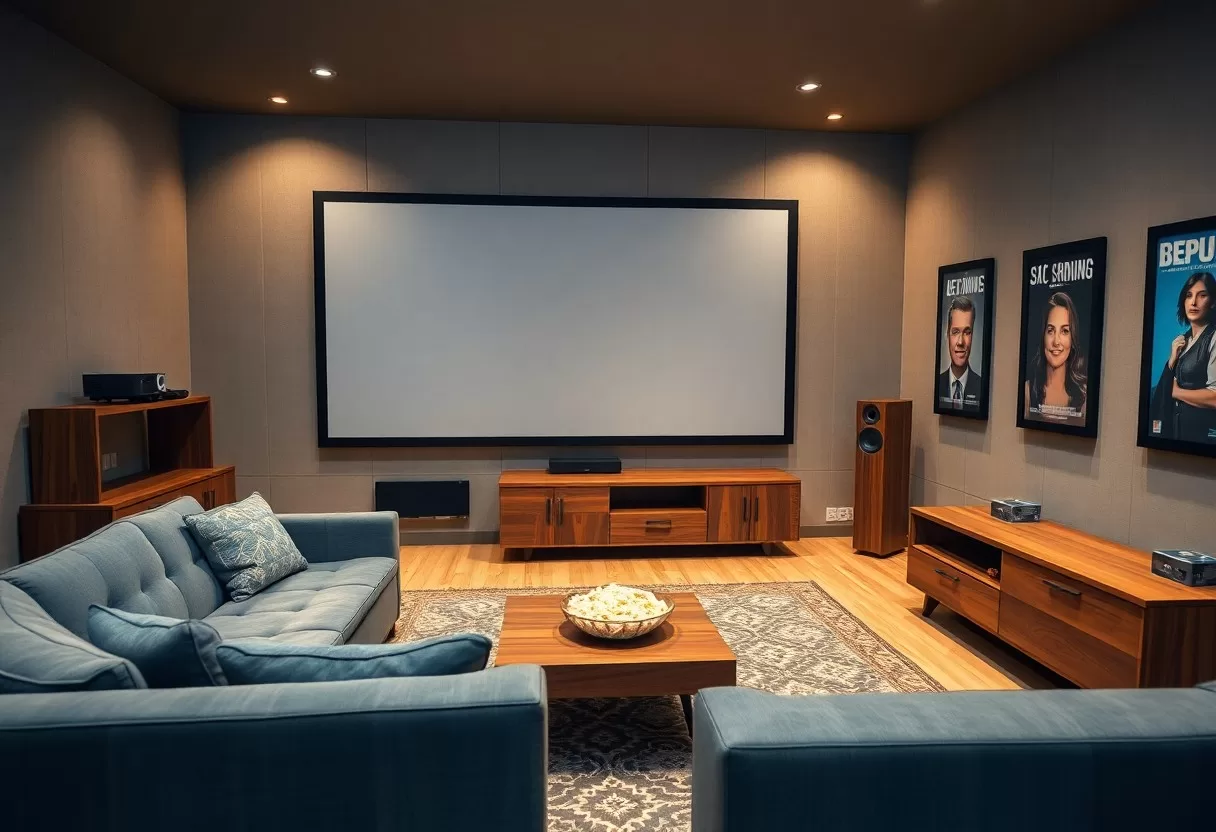
Visual Displays and Projectors
Choosing your display shapes the whole experience: a 77″ OLED or QLED gives razor-sharp 4K detail and deep blacks in controlled light, while a 120-150″ projector delivers true theater scale when you manage ambient light; see How to Create an Immersive Home Theater Experience for layout examples. Favor brightness in mixed-light rooms and maximum contrast in dedicated dark rooms.
Types of Screens: TVs vs. Projectors
Your decision depends on room size and control: TVs give consistent brightness and native HDR up to ~85″, while projectors scale to 100-200″+ but need light control, proper throw ratio, and screen gain; maintenance and calibration also differ. After you compare lamp or laser lifespan, running cost, and whether you prioritize convenience or maximum screen size, choose the format that matches your viewing priorities.
- TV
- Projector
- Screen Size
- Brightness
- Contrast
| Typical Size | TV: up to 85″-100″; Projector: 80″-200″+ |
| Brightness | TVs: ~500-1,500 nits; Projectors: ~1,500-4,000 ANSI lumens |
| Contrast/Black | OLED TVs: near-infinite blacks; Projectors: depends on screen and room light |
| Cost | TVs: higher per-inch; Projectors: lower per-inch but add screen and installation costs |
| Installation | TVs: plug-and-play wall mount; Projectors: throw ratio, mount, and light control required |
Optimal Viewing Distances and Angles
For pixel acuity, follow simple rules: with 4K you can sit about 1.0-1.5× the screen diagonal, while for 1080p aim for 1.5-2.5× the diagonal; for example, a 100″ screen works best at ~8-12 feet for 4K and ~12-20 feet for 1080p. Position yourself so the screen subtends ~30-40° horizontally for immersive cinema-scale viewing.
Keep the vertical viewing angle comfortable: place the screen center no more than 15° above eye level and avoid reclining seats that push viewers beyond that arc. If you sit too close with a projector or use low-resolution content, visible pixels and eye strain become issues, so test distances before finalizing seating.
Home Theater Room Design
You should optimize proportions and sightlines: aim for a room ratio near 1:1.6:2.33 to minimize modal buildup, place the screen so its center is about 15° below eye level, and set seating roughly 1.2-1.5× the screen diagonal for 4K clarity. Address isolation with seals and double drywall if neighbors complain, and keep HVAC noise under NC‑20 to prevent masking subtle soundtrack details.
Acoustic Treatments
Place broadband bass traps in all corners and install 2″-4″ absorbers at first‑reflection points on side walls and a ceiling cloud above the main seat; treat about 20-30% of surface area and add diffusion on the rear wall to preserve liveliness. Target an average RT60 of 0.4-0.6s across mid‑frequencies for tight dialog and controlled surrounds, and verify results with a room‑measurement mic and REW.
Lighting and Ambiance
Use 6500K bias lighting behind the screen set to ~10% of peak screen brightness to improve perceived contrast, add dimmable sconces on side walls for safe movement, and employ step or aisle lights for low‑glare navigation. Keep direct light off the screen and maintain viewing illuminance around 10-20 lux to preserve HDR highlights.
Choose high‑CRI (>90) LEDs and driver circuits with minimal PWM to avoid color shifts and flicker; program scenes (movie, intermission, cleaning) via a smart dimmer or DMX so you can recall exact levels, and set bias lighting to ~10% of peak screen luminance rather than an arbitrary lux value. Also note that excessive ambient light (>100 lux) will wash out HDR highlights and that wiring lighting circuits separately helps prevent audible interference with AV gear.
Streaming and Media Sources
You’ll want to balance bandwidth, codecs, and local playback: streaming 4K HDR typically needs about 25 Mbps, HEVC/AV1 support on your player improves quality at lower bitrates, and a wired Ethernet or reliable 5GHz/6GHz Wi‑Fi cut down on buffering. Use a NAS or Plex for large local libraries and transcode when necessary, and be aware that crowding on Wi‑Fi or limited router QoS can cause stuttering during peak hours.
Platforms for Movie and TV Shows
Major services-Netflix, Disney+, Prime Video, Max, and Apple TV+-offer extensive 4K HDR catalogs, while ad‑supported apps like Tubi and Pluto deliver free content. You should check whether titles use Dolby Vision, HDR10+ or HDR10, since that affects color and contrast on your display; Netflix and Disney+ often carry Dolby Vision originals, and Prime frequently varies by title.
Integrating Gaming Consoles
PlayStation 5 and Xbox Series X deliver 4K@120Hz, VRR and low latency via HDMI 2.1, so you should confirm your TV or AVR has HDMI 2.1 ports to exploit those features; Nintendo Switch remains 1080p docked. Always enable your TV’s game mode to reduce input lag and keep consoles on wired Ethernet for the most stable online play.
Routing decisions matter: connect high‑performance consoles directly to an HDMI 2.1 TV input and use the TV’s eARC to pass immersive audio back to your AVR if the receiver lacks full HDMI 2.1 bandwidth-otherwise plug into an AVR with 2.1 passthrough to preserve 4K120. Additionally, check firmware updates for both TV and AVR, as manufacturers frequently add HDMI feature support after release.
Smart Home Integration
Seamless automation ties your AV, lighting and climate into unified scenes; you can trigger a “movie” scene that dims lights to 10%, closes shades and switches the AVR to HDMI2. For implementation, use IP-based control (HDMI-CEC, RS-232) or platforms like Control4 and Lutron, and segment devices on a guest VLAN for secure network segmentation. For practical setup tips see 4 Expert Tips to Turn Your Living Room into a Cinema.
Automation and Control Systems
You should choose systems that handle macros and device translation: Crestron, Savant or Logitech Harmony can execute multi-device sequences-lights to 10%, projector source to HDMI2, AVR volume to -20 dB-in under 2 seconds on most networks. Prefer RS-232 or IP control for reliability, keep IR as a backup, and add keypad overrides so you retain manual control if automation fails.
Compatibility with Home Assistants
Voice assistants like Alexa, Google Assistant and Siri/HomeKit let you call scenes and adjust volume, though many integrations require bridges (HomeKit often needs MFi or Homebridge). If you want consistent, low-latency voice actions, prioritize local voice processing or a bridge to avoid multi-second cloud delays.
Use an on‑premises hub such as Home Assistant or Hubitat to unify Zigbee, Z-Wave and IP devices: with a Conbee II or Aeotec stick you can manage hundreds of endpoints and keep local command latency below 200 ms. Also enable 2FA and network segmentation to reduce exposure when you link cloud services, and route automation-critical devices through the local hub for resilience.
To wrap up
Ultimately you can recreate cinema magic in your living room by prioritizing picture and sound quality, thoughtful speaker placement, comfortable seating, and proper room treatment; with careful equipment selection and calibration you ensure immersive viewing, seamless streaming, and a tailored experience that brings films and games to life for you and your guests.
FAQ
Q: How do I plan the layout and seating to recreate a cinematic experience at home?
A: Start by assessing your room’s dimensions and the primary viewing position. Choose a screen size or projector throw distance that fits the room so viewers sit at an optimal distance – typically 1.5-3 times the screen height for TVs, and follow the projector manufacturer’s throw recommendations for projectors. Arrange seating to maintain centered sightlines: the primary seat should be on axis with the center of the screen, and side seats angled slightly toward it. Consider tiered seating or staggered rows if you have multiple rows to keep sightlines clear. Leave space behind and beside seats for circulation and acoustic treatments. Opt for comfortable, low-reflectance furniture to reduce glare and echoes; avoid glossy surfaces facing the screen. Plan cable runs, power outlets, and ventilation early so speakers, equipment racks, and media players can be placed without unsightly extensions or heat buildup. Finally, test the layout with mockups or tape on the floor to validate viewing distance and sightlines before committing to permanent installation.
Q: What audio system and speaker layout should I choose for authentic movie sound?
A: Select an audio format that fits your budget and room size: a 5.1 setup is the baseline for surround sound, 7.1 adds rear width for larger rooms, and Atmos/DTS:X adds overhead or height channels for immersive effects. Use a capable AV receiver or processor that supports the formats and codecs you plan to use, and confirm HDMI features like eARC/ARC and HDMI 2.1 if you will pass high-bitrate video and object-based audio. Position the front left, center and right speakers at ear height, angled toward the main seating area with the center directly below or above the screen. Place surround channels slightly above ear level and behind or to the sides of listeners, and add height speakers for Atmos either in-ceiling or at elevated wall positions aiming down toward the listening plane. A subwoofer or two should be placed where bass loads evenly-start near the front and use the crawl method to fine-tune placement. Use speaker stands or wall mounts for proper alignment, run quality speaker cable of appropriate gauge, and perform system calibration with the receiver’s room correction and sound meter or calibration microphone; fine-tune levels and delay manually if needed. Consider room treatments like bass traps and absorbent/diffusive panels to reduce modal issues and enhance clarity.
Q: How can I optimize lighting, acoustics, and connectivity for a seamless home theater experience?
A: Control ambient light with blackout curtains or motorized shades and use layered lighting: dimmable overheads, recessed step lights, and bias lighting behind the screen to reduce eye strain and improve perceived contrast. For acoustics, combine absorption (panels, carpets, upholstered seating) with diffusion to avoid an overly dead sound; focus absorption at early reflection points and corners for bass traps to tame low-frequency buildup. Ensure adequate ventilation and silent cooling for equipment and seating areas. For connectivity, prioritize wired Ethernet for streaming devices and smart controllers to minimize buffering and latency; use a high-quality router, switch, and gigabit cabling. Choose HDMI cables and a switch or matrix that support your required bandwidth (4K/120Hz, HDR, VRR) and ensure devices are compatible with eARC for full audio return capability. Deploy surge protection and a dedicated power line or power conditioner for sensitive AV gear. Integrate control with a universal remote or smart home ecosystem, and keep spare inputs and cable space in the equipment rack for future upgrades. Regularly update firmware on sources, AV receivers, and smart devices to maintain compatibility and performance.